How to Create Custom QR Codes for WhatsApp and WiFi (Free & Secure)
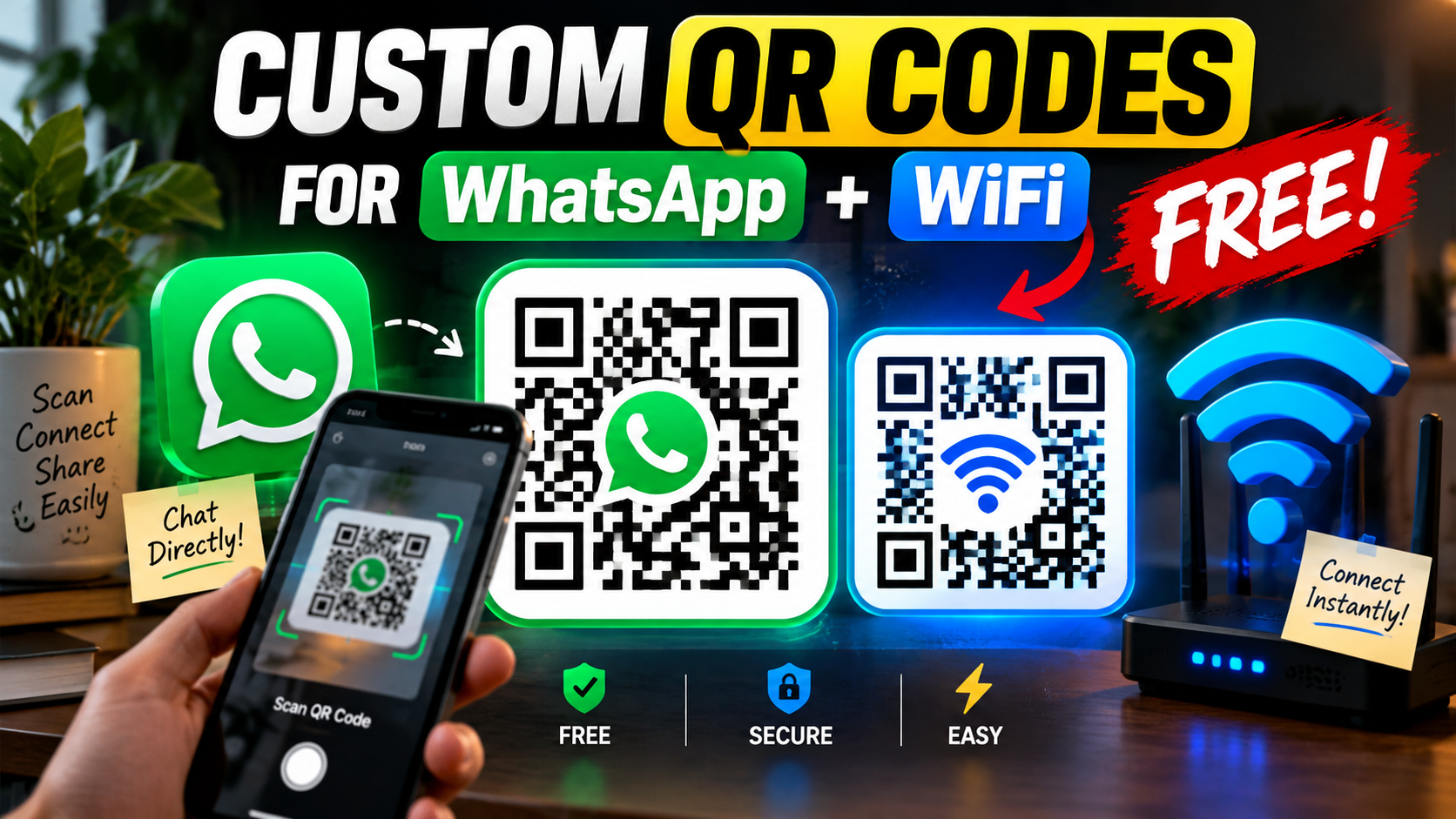
QR codes are no longer just a digital novelty—they are the ultimate bridge between the physical and digital worlds. From restaurant menus to product packaging, consumers in 2026 expect instant access to information with a single scan.
But what if a QR code could do more than just open a website? What if it could instantly connect a customer to your WhatsApp support team, or automatically log your Airbnb guests into your home WiFi without them ever typing a password?
In this guide, we will show you how to generate these advanced, highly customized QR codes using the MehenaTools QR Code Generator—completely free of charge, with zero expiration dates.
Create Your Custom QR Code Now
Generate lifetime static QR codes for Links, WhatsApp, and WiFi with your custom brand logo embedded.
Launch QR Generator📱 The Power of the WhatsApp QR Code
Friction is the enemy of sales. If a potential customer sees your flyer or product and has to manually type your phone number into their contacts just to ask a question, you have already lost them.
A WhatsApp QR Code solves this instantly. When scanned, it does three things automatically:
- Opens the WhatsApp application on the user’s smartphone.
- Opens a direct chat window with your specific business number.
- Pre-fills a custom message in their typing box.
Brilliant Use Cases:
- Real Estate: Place a code on a “For Sale” sign. When scanned, it pre-fills: “Hi, I’m outside 123 Main St and would like to schedule a viewing.”
- E-Commerce Support: Print it on your shipping boxes. Pre-fill: “Hello, I need help with my recent order.”
- Service Bookings: Flyers for your salon or clinic. Pre-fill: “I would like to book an appointment for this week.”
📶 The WiFi Auto-Connect QR Code
We have all been there: a guest arrives at your house, cafe, or office and asks, “What is the WiFi password?” You then have to dictate a complex string of uppercase letters, numbers, and symbols, only for them to type it wrong twice.
Our tool allows you to create a WiFi QR Code. By simply entering your Network Name (SSID) and Password into our generator, it creates a specially formatted code. When anyone points their iPhone or Android camera at it, a popup appears saying “Join Network.” One tap, and they are connected. No typing required.
Pro Tip: Print this out and frame it nicely on the wall of your Airbnb, hotel room, or coffee shop counter for a premium guest experience.
🎨 Branding: Why You Must Add Your Logo
Standard black-and-white QR codes can look suspicious. With phishing attacks on the rise, consumers are sometimes hesitant to scan generic codes. Adding your company’s logo to the center of the QR code immediately establishes trust and increases your scan rates.
Thanks to the advanced Error Correction Level (Level H) utilized by our tool, up to 30% of the QR code’s surface can be covered by your logo without affecting its scannability. Just ensure you upload a clear, square PNG or JPG.
🔒 Static vs. Dynamic: The MehenaTools Promise
If you search for QR code generators online, you will find many companies that offer “Dynamic” tracking codes. Here is the dirty secret: they host the link on their servers. If you stop paying their expensive monthly subscription fees, your QR code will instantly die and redirect to a 404 error page. Imagine printing 10,000 product labels only for the code to stop working!
MehenaTools generates 100% Static QR Codes.
The data is hardcoded directly into the pixels of the image using your browser’s local RAM. We do not track the scans, and we do not host the redirects. This means your QR codes will last a lifetime, and they are completely free for both personal and commercial use.
Leave a Reply