URL Encoding Explained: How to Encode and Decode URLs Correctly
Understand URL encoding and percent encoding, learn how spaces and reserved characters are handled, and safely encode or decode web addresses.
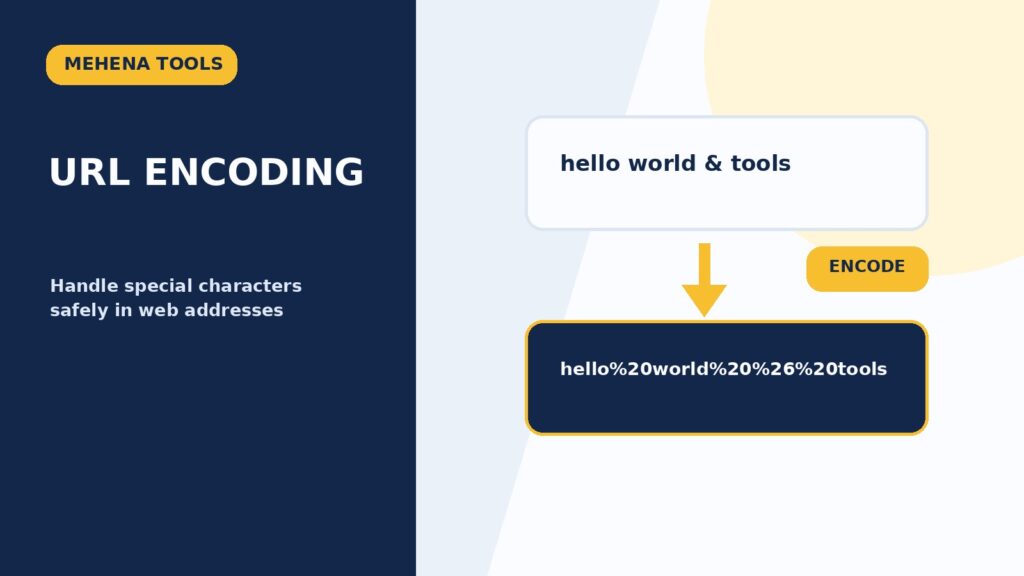
Web addresses often contain more than ordinary letters and numbers. A URL may include spaces, punctuation, non-English characters, query parameters and symbols that have a special meaning in web communication. If those characters are placed into a URL without the correct handling, a browser, server or application may interpret the address differently from what the author intended. URL encoding helps represent data safely inside a URL.
This guide explains URL encoding, also called percent encoding, with practical examples. You will learn which characters usually need encoding, how to encode and decode a URL component, how query strings work, and which mistakes can break links or create security problems. It also explains when to use the Mehena Tools URL Encoder/Decoder.
What is URL encoding?
URL encoding is a method of representing certain characters in a URL using a percent sign followed by two hexadecimal digits. For example, a space is commonly represented as %20. The percent sign introduces an encoded byte value. This representation allows data to be carried in a URL without confusing characters that have reserved meanings in its structure.
URL encoding does not encrypt information, hide a message or make a link private. It changes how characters are represented so that a URL can be parsed consistently. Anyone who receives the URL can usually decode the encoded characters. Never place passwords, secret tokens or private information in a URL merely because it has been encoded.
Why do URLs need special character handling?
A URL has different parts, including a scheme, host, path, query and sometimes a fragment. Certain characters act as separators between those parts. For example, a question mark commonly begins a query string, an ampersand separates query parameters, and an equals sign separates a parameter name from its value. If data itself contains one of these characters, it may be mistaken for URL structure unless it is encoded in the appropriate component.
Imagine a search term such as tea & coffee. If the ampersand is inserted into a query parameter without correct encoding, a parser may treat the text after it as another parameter. Encoding the value allows the application to distinguish the actual search text from the separators used by the URL.
How percent encoding works
In percent encoding, a character is represented using a percent sign and a pair of hexadecimal digits corresponding to its encoded byte. The space example %20 is widely recognized. Other characters have their own encoded representations. Non-ASCII text is typically converted to UTF-8 bytes first, and each byte is then represented using percent notation.
Because a single visible character can use more than one UTF-8 byte, a non-English letter may appear as several percent-encoded groups. This is expected. Do not assume that every character will be represented by exactly one percent code. Correct encoding depends on the character set and the component of the URL being constructed.
Reserved and unreserved characters
URL standards distinguish between unreserved characters and reserved characters. Letters, digits, hyphen, period, underscore and tilde are commonly treated as unreserved in a URL component. Reserved characters have structural roles or are used as delimiters. Whether a reserved character should be encoded depends on whether it is being used as part of the URL structure or as ordinary data inside a component.
This is why encoding an entire URL blindly can be a mistake. If you encode the separators that define the scheme, host, path or query, you may turn a valid address into a string that no longer works as intended. Encode the data component that needs protection, not necessarily the entire URL as one undifferentiated piece of text.
How to encode a URL component online
Open the Mehena Tools URL Encoder/Decoder. Enter the text or URL component you want to process, choose the encode action and review the resulting string. Copy the encoded value only after checking that it represents the intended data. If you are working with a complete URL, identify whether you need to encode a path segment, a query parameter value or another specific component.
For example, if a query parameter value is summer sale & gifts, a correctly encoded value can represent the spaces and ampersand without confusing them with the query syntax. When building the full URL, keep the parameter separators in the correct positions and encode only the value. After creating the link, open it in a test browser and confirm that the destination receives the expected text.
How to decode a percent-encoded string
Decoding reverses the representation and turns percent-encoded bytes back into characters using the appropriate character encoding. Paste the encoded component into a URL decoder and choose the decode action. Check the result carefully, especially if it contains non-English text, plus signs, percent signs or multiple query parameters.
A decoder may show a readable version of a string, but it does not prove that the original URL is safe. Decoded text may contain script fragments, suspicious redirect destinations or misleading characters. Treat decoded content as data to inspect, not as an instruction to execute or a link to trust automatically.
Spaces, plus signs and query strings
One common source of confusion is the difference between %20 and +. In general URI percent encoding, a space is represented as %20. In the form-encoding convention often used for query parameters, a plus sign may represent a space. The exact behaviour depends on the encoding context and the application that reads the value.
Do not replace every plus sign with a space without understanding the context. A literal plus sign in data may itself need to be encoded as %2B. If a value contains both spaces and plus signs, test the result with the same kind of parser or endpoint that will receive it. Consistency between encoding and decoding rules prevents subtle data errors.
Common URL encoding mistakes
Encoding the full URL instead of one value
Encoding a complete URL as though it were plain text can convert structural characters into percent sequences. The browser may no longer recognize the scheme, host or path as intended. Identify the component you are inserting and encode that component with a suitable URL-building function or tool.
Encoding twice
Double encoding happens when an already encoded value is encoded again. A percent sign may become %25, so a sequence such as %20 can turn into %2520. The receiver may decode only once and display the remaining percent sequence instead of the intended character. Track whether a value is raw or already encoded before processing it.
Decoding at the wrong stage
Decoding too early can reintroduce reserved characters before the application has finished parsing the URL. Decode values at the correct point in the workflow and follow the rules of the receiving application. Avoid manually changing encoded strings in a way that loses the distinction between data and delimiters.
Ignoring UTF-8
Non-English characters, emoji and symbols can require multiple bytes. If the sender and receiver assume different character encodings, the decoded text may look corrupted. Use UTF-8 consistently and test examples that include the languages and symbols your users actually need.
URL encoding and security
Encoding is not a security boundary. It does not sanitize user input, prevent cross-site scripting, validate a redirect destination or protect a secret. A malicious value can still be harmful after it is decoded. Web applications should validate input according to its intended use, use context-aware output encoding and avoid constructing unsafe HTML or script from untrusted values.
Be especially careful with redirect URLs and links supplied by unknown sources. A URL can look familiar while containing a different host, confusing subdomain or encoded characters that hide the true destination. Decode and inspect suspicious strings in a safe environment, check the actual hostname and do not enter passwords after following an unexpected link.
Practical examples
Search query: A search term containing spaces and punctuation should be encoded as a query parameter value. The parameter name and separators remain part of the URL structure, while the value is encoded according to the application’s rules.
Path segment: If a file or page name contains characters that are not suitable for direct use in a path segment, encode the segment rather than changing the slash separators that divide the path.
International text: A URL that includes a name or phrase in a non-Latin script should be processed using UTF-8-aware encoding. After decoding, confirm that the characters display correctly and have not been replaced with question marks or broken symbols.
Tracking links: Campaign parameters may contain names with spaces or punctuation. Use a consistent naming convention and a trusted URL builder. The UTM Link Builder can help assemble campaign parameters without manually joining every separator.
When should you use a URL encoder?
Use an encoder when inserting text into a URL component, preparing a query parameter, debugging a request, inspecting a link copied from another system or handling international characters. Use a decoder when you need to understand a percent-encoded value or troubleshoot why a server received unexpected text. In both cases, know whether the input is a complete URL or only one component.
For software development, prefer language-native URL and query-building functions because they understand the structure of URLs and reduce manual mistakes. A browser-based encoder is useful for quick checks, learning and one-off transformations, but it should not replace robust URL construction in production code.
Checklist for reliable encoding
- Identify whether the input is a full URL, path segment or query value.
- Encode only the component that needs encoding.
- Use UTF-8 consistently for text.
- Know whether the receiving system uses standard percent encoding or form encoding.
- Avoid encoding an already encoded value twice.
- Test the final URL with the real receiving application.
- Never treat encoding as encryption or input validation.
- Inspect unfamiliar links before opening them.
Frequently asked questions
Is URL encoding the same as Base64?
No. URL percent encoding represents bytes using percent notation so data can be carried safely in URL components. Base64 converts binary data into a text representation using a different alphabet. They solve different problems and are not interchangeable.
Does URL encoding make a link secure?
No. Encoding does not encrypt the link, hide its destination or prevent malicious input. Use HTTPS, validate destinations and protect sensitive information through appropriate security controls.
Why do I see percent signs and numbers in a URL?
Those sequences usually represent percent-encoded bytes. They are normal in URLs when characters need a safe representation. A decoder can help you inspect the underlying text, but the decoded result should still be checked.
Should I encode spaces as plus signs or %20?
It depends on the context. Standard URL component encoding commonly uses %20 for a space, while form-style query encoding may use a plus sign. Follow the convention expected by the receiving system.
Conclusion
URL encoding helps web applications carry data reliably by representing characters that could otherwise conflict with URL structure. The key is to encode the correct component, use consistent character encoding, avoid double encoding and remember that percent encoding is not encryption. Try the Mehena Tools URL Encoder/Decoder for quick transformations, and test important links with the application that will receive them.
Find simple browser-based utilities for everyday document and image tasks.
Explore all tools →